
How to Download a Return Request Report
1. Open the EcoReturns Dashboard
Log in to your EcoReturns admin dashboard.
2. Navigate to the "Returns" Tab
Open the left sidebar and select the Returns tab.
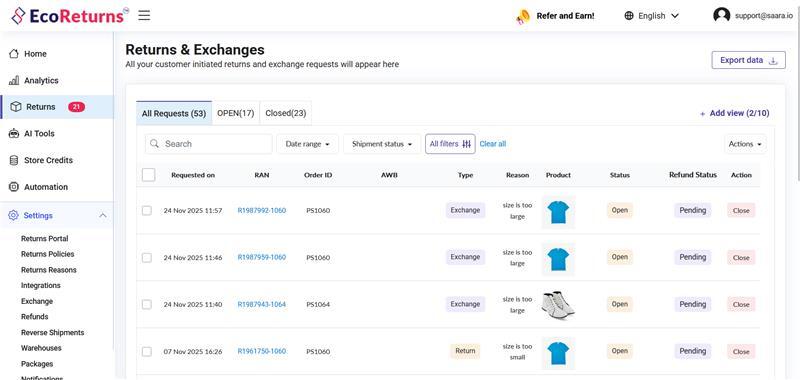
3. Go to the "Returns & Exchanges" Dashboard
You will be redirected to the Returns & Exchanges page. At the top-right corner, locate the Export data button.
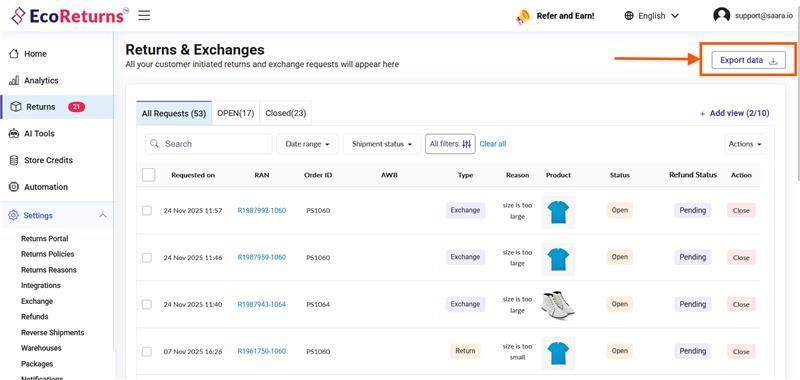
4. Select Export Options
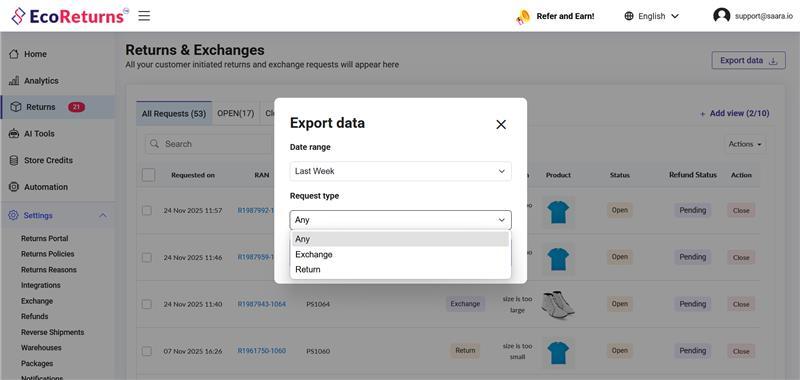
After clicking the button, a modal will appear asking you to choose:
- The date range for the report
- Whether to download Returns, Exchanges, or Both
5. Download Processing
After you confirm and click Download, your request is added to the processing queue. You will receive the report via email within 5–10 minutes.